Google Keyword Tool for SEO
 Doing great keyword research is like being a fisherman. Reeling in the big profits takes knowledge, a Speedo, and a thermos.
Whether you like it or not, keyword research is at the core of pay-per-click marketing and SEO practices. If you aren’t bidding or using the right keywords, short- or long-tail, then you could be selling yourself short on your potential success.
And wouldn’t you rather reel in a big whale shark instead of a few sardines? (You can obviously tell I don’t know my fish very well.)
See, doing good keyword research is like being a seasoned fisherman, casting his net at the right place, at the right time. So whether you’re looking to patch up the holes in your current keyword selection net, or expand the size of it, consider this article a potential algal bloom of profits.
 By now you should know that the Google AdWords Keyword Tool is no longer available – Google has folded the tool into Keyword Planner, a combination of the old keyword tool and the Traffic Estimator. Now, you need an AdWords account to get keyword suggestions from Google. But Google is far from the only keyword game in town.
In this article, we’ll look at my eight favorite keyword research tools, plus some fancy tricks you can use to get a wooden peg leg up on your competition. Some are free, and some are not (but well worth the money).
 So without further ado, let’s take you from being like this guy...
To this guy.
1.) WordStream’s Keyword Tool (free)
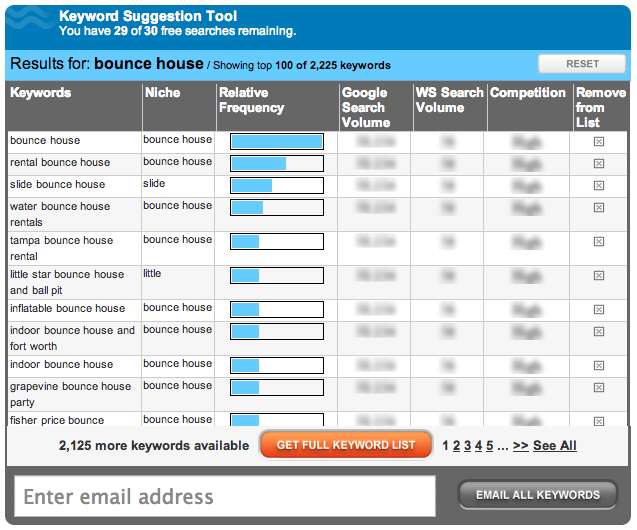
The WordStream keyword tool allows you to target certain niches (groups of related keywords), gives you further suggestions, and also allows you to group them based off of a common theme for easy ad group launches.
This keyword research tool gives you 30 searches for free, after that you’ll have to sign up for their WordStream Advisor to use it additionally.
Hidden bonus? You get a free 7-day trial on top of the 30 free searches you already did!
2.) FreshKey ($20 software)
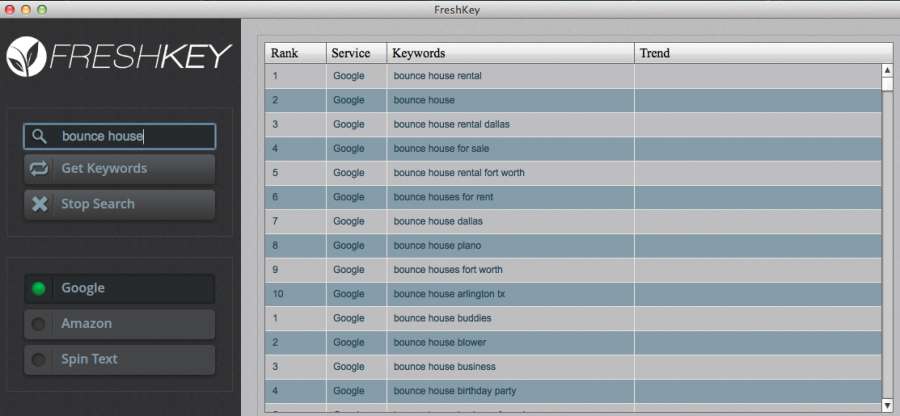
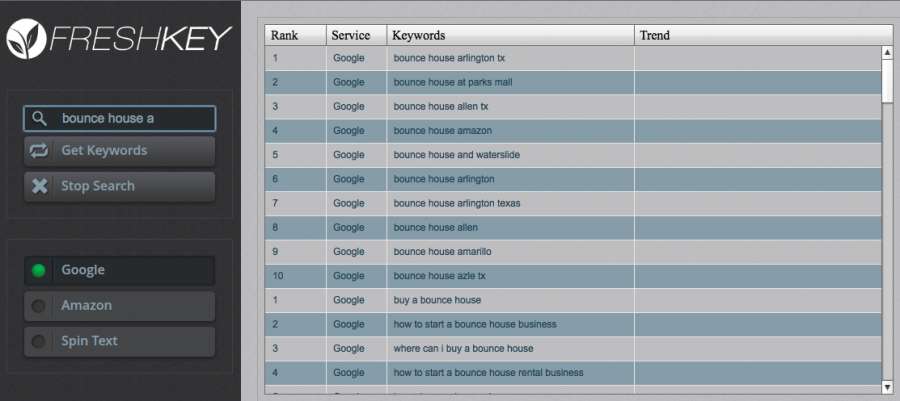
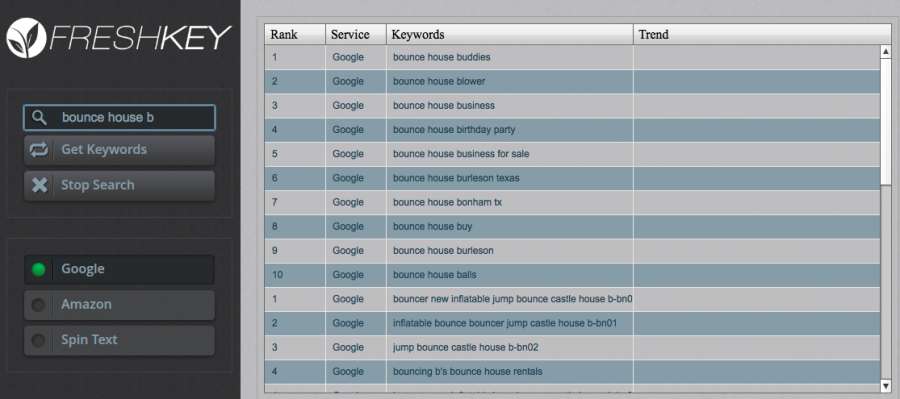
Though not free, FreshKey is my #1 go-to keyword research tool that allows me to see beyond the regular Google Instant suggestions and predictions that appear when I start typing things in on Google.
Not only does it give you new keyword ideas, variations, and synonyms, it also sorts the keywords depending on popularity.
Instead of just getting four new keywords from the Google suggestions drop-down, you can now potentially get an unlimited amount of keywords if you keep adding small letter variations like a, b, c, d, etc. to the end of your keyword root.
|
SOCIAL MEDIA SEO BACKLINKING Late 2015 Edition: How to use social media as backlink to your SEO websites (Beginners Training Only) (REDIFY SEO SERIES Book 4) eBooks |

For keyword research, why is there such a difference between SEO Book results and Google Adwords tool results? | Yahoo Answers
Google is more likely to beat all the others as its the biggest and most comprehensive.

Where is old Google Adwords Keyword Tool - SEO Chat
I think I saw a report today that the 'old' interface isn't available anymore... can't remember though as I have grown accustom to the new interface.